Skip to content

Foundry Field Office · by Patrick Foundry

Field Office kits.

Workbooks and printable forms for contractors and the people who run the work. Excel + Google Sheets, no macros. $19 per kit (Kit 06: $24) · $49 for the 4-Kit Bundle (Kits 01 to 04).

Free calculators: markup, labor burden, overhead →

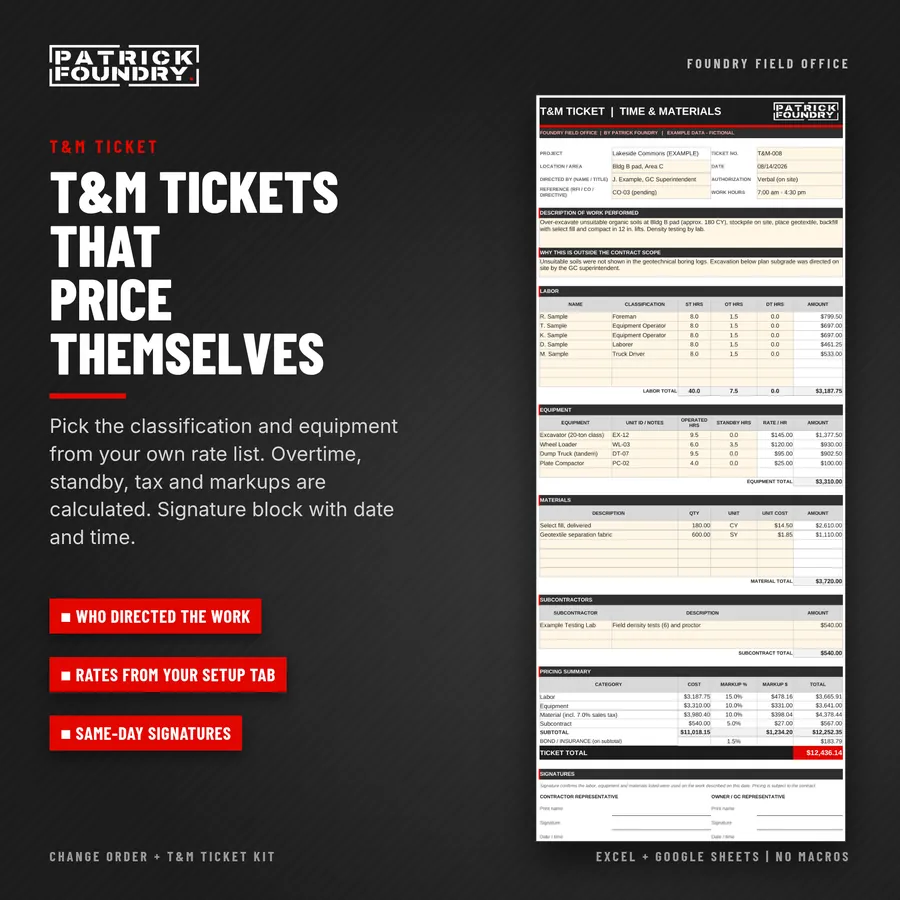
Change Order + T&M Ticket Kit: Excel and Google Sheets workbook, PDF forms, 19-page guide

KIT 01 · EXCEL + GOOGLE SHEETS · PDF FORMS

Change Order +
T&M Ticket Kit.

Track every change from the field directive to the approved change order, in one workbook.

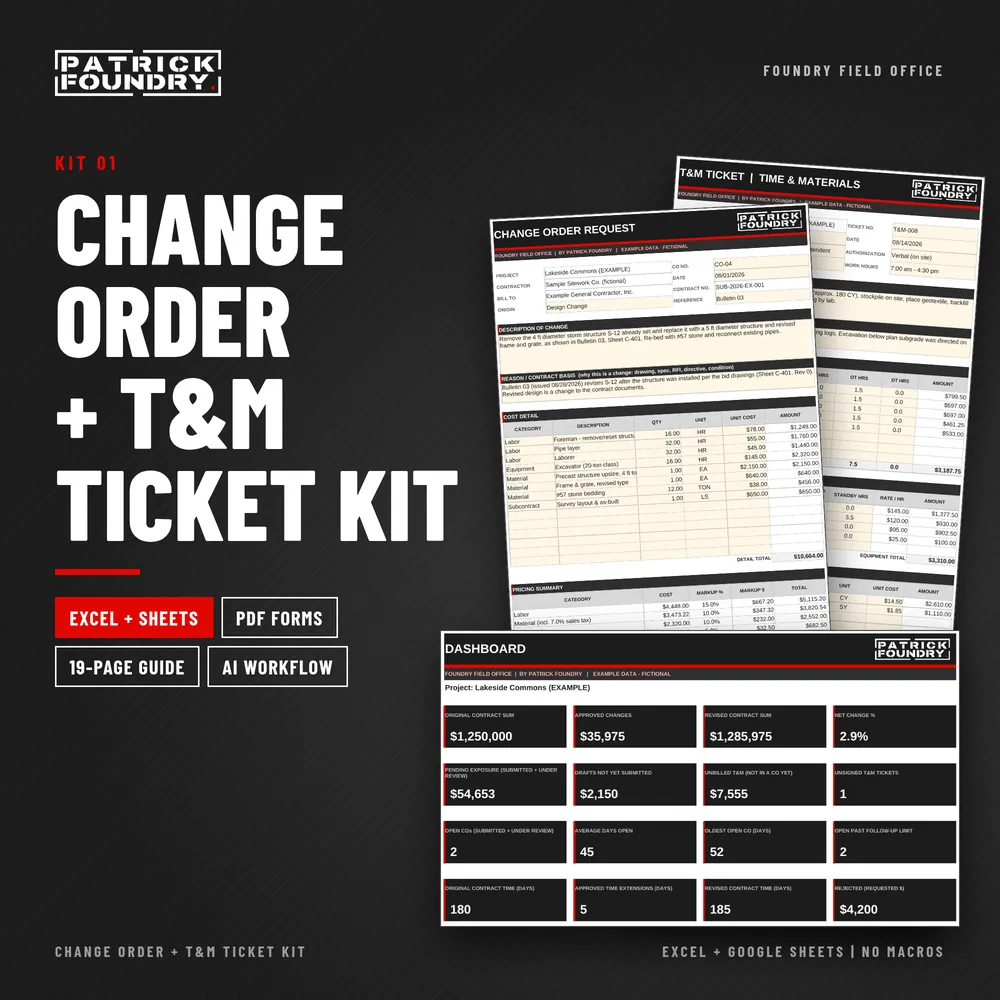
For general contractors, subcontractors and anyone who has to document extra work and get paid for it. Price T&M tickets from your own labor and equipment rates, roll them into change order requests, and see pending exposure and unbilled T&M on one dashboard.

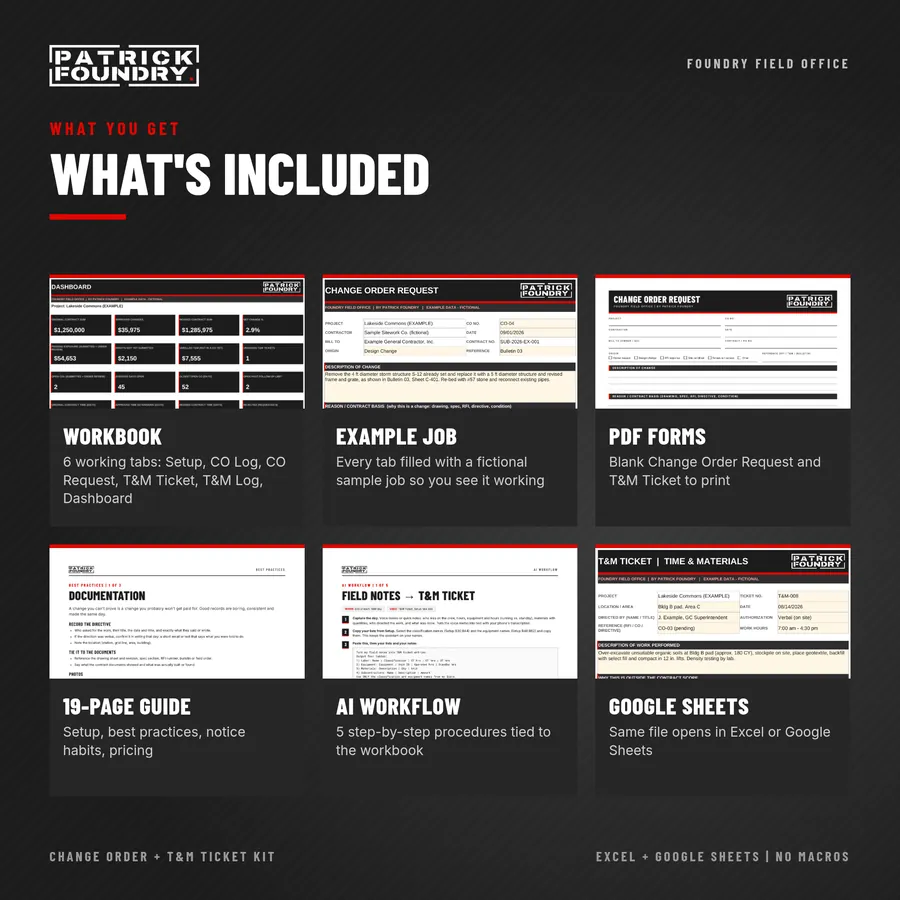
  • Workbook (.xlsx, no macros), in two copies: one for Excel and one tuned for Google Sheets. Setup, CO Log, CO Request, T&M Ticket, T&M Log and Dashboard tabs, plus example tabs with a fictional sample job.
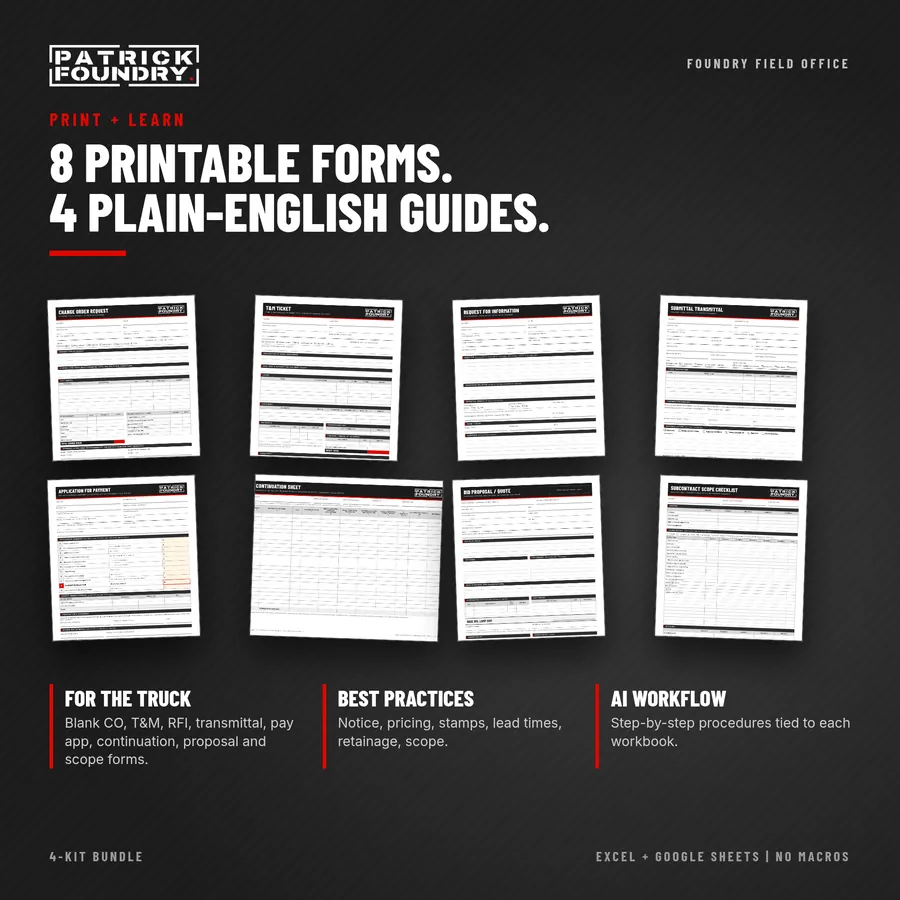
  • Printable PDF forms: blank Change Order Request and T&M Ticket.
  • 19-page PDF guide: how to use every tab, change order best practices, an AI Workflow chapter tied to the workbook, and opening the kit in Google Sheets.

Bundle and save. Also in the 4-Kit Bundle: all four kits for $49.

Instant digital download. One-business license, unlimited projects. Works in Excel 2016 or later (Windows or Mac, including Microsoft 365) and in Google Sheets. No macros. Original templates, not AIA forms. A project-management tool, not legal or contract advice; your contract controls notice, markup and approval requirements.
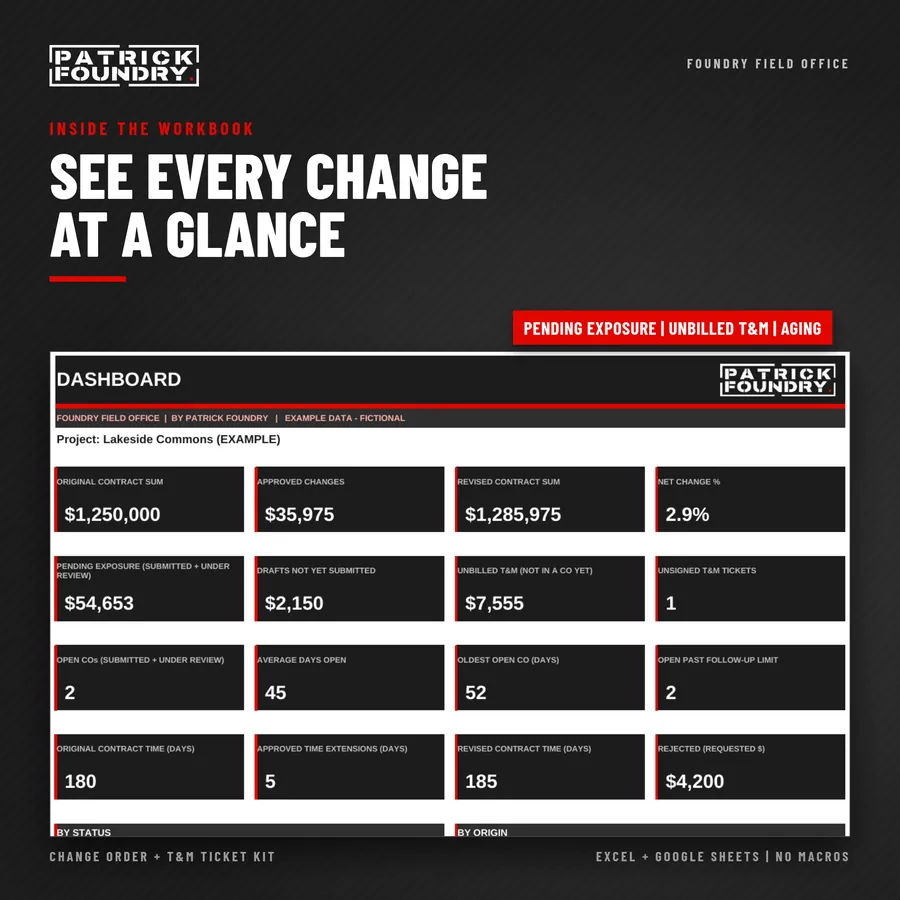
Images show the fictional example jobs included in the workbooks.

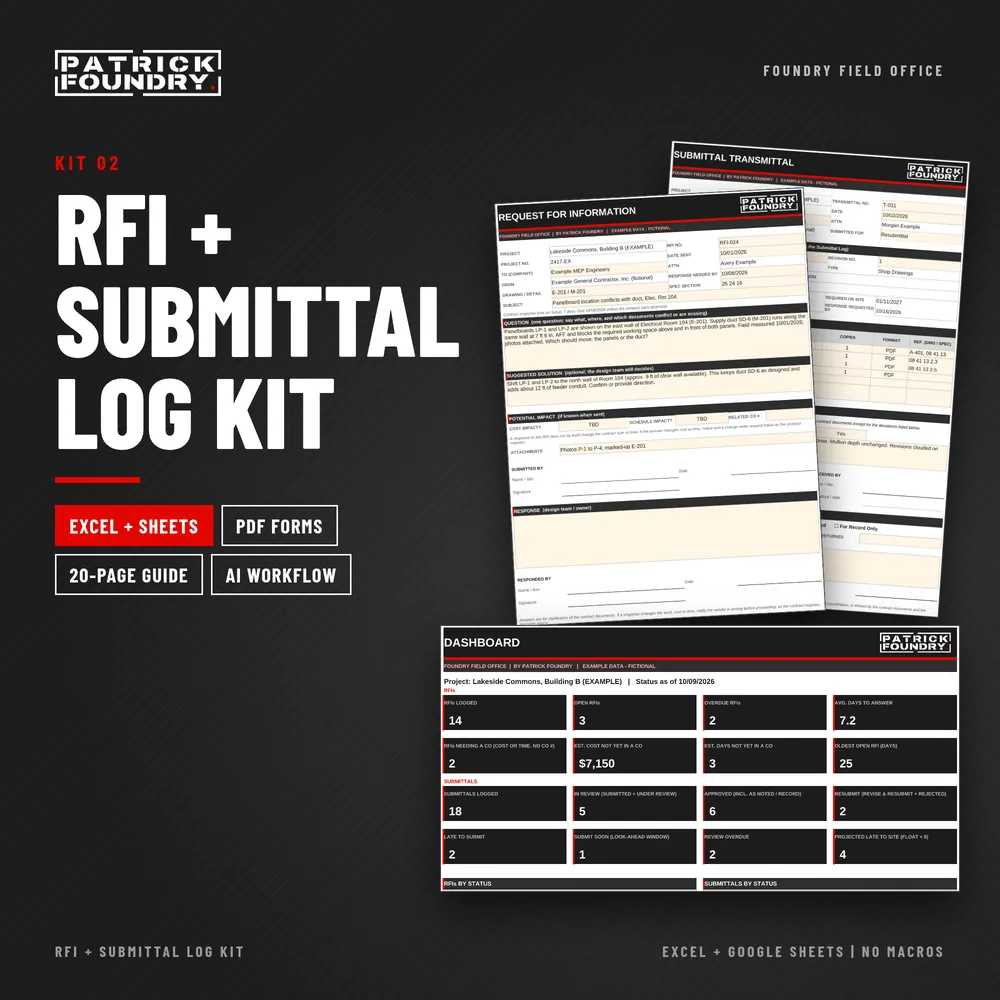
RFI + Submittal Log Kit: Excel and Google Sheets workbook, PDF forms, 20-page guide

KIT 02 · EXCEL + GOOGLE SHEETS · PDF FORMS

RFI +
Submittal Log Kit.

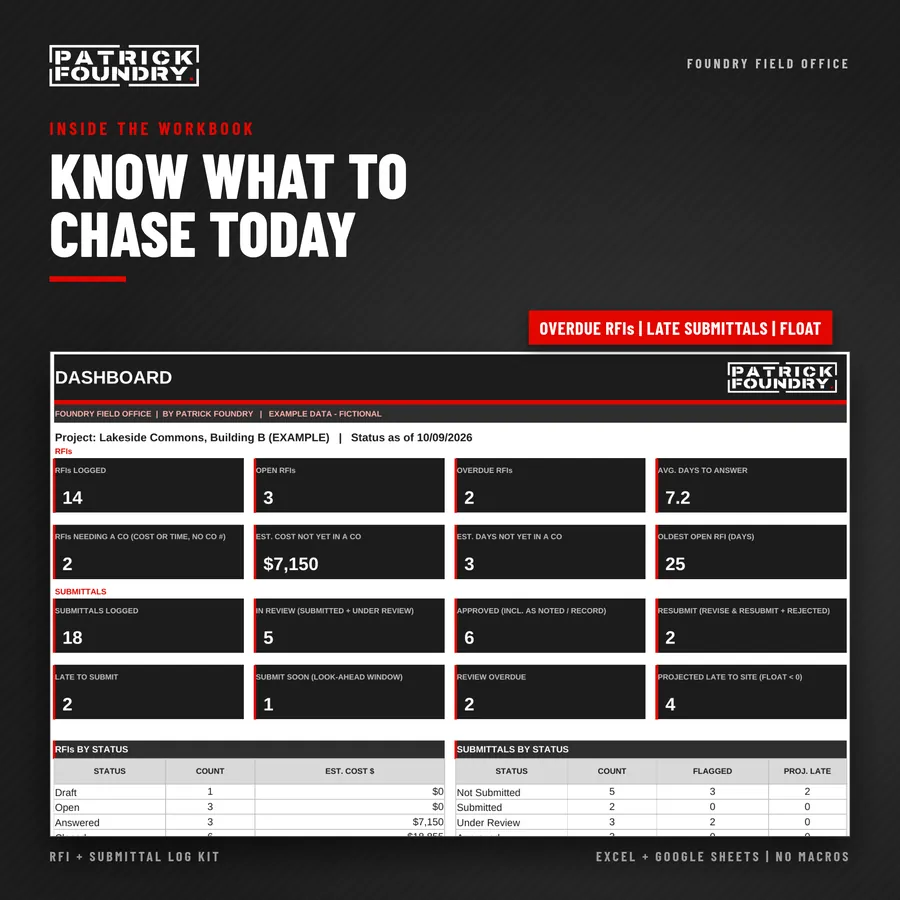
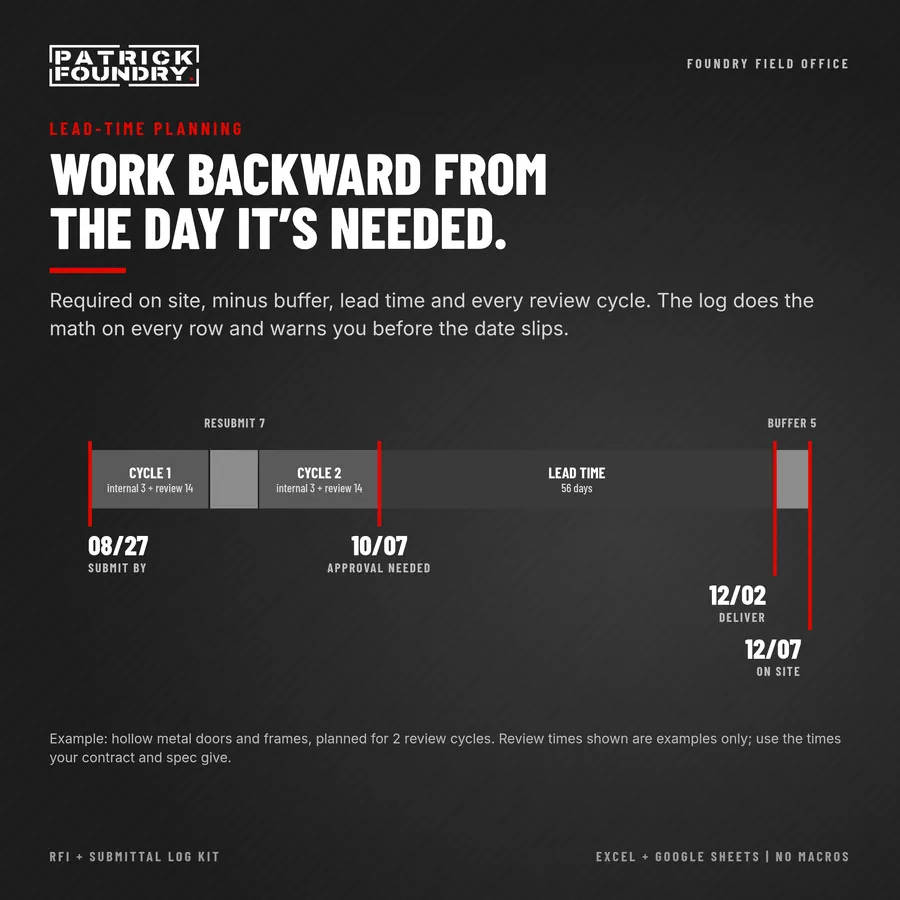
Know which RFIs are overdue, who owes the answer, and the date every submittal has to go out so the material is on site when the schedule needs it.

For general contractors, subcontractors, project managers and superintendents who send RFIs and run submittals. Log every RFI and submittal in one workbook, see whose court the ball is in, and let the dates and flags tell you what to chase today.

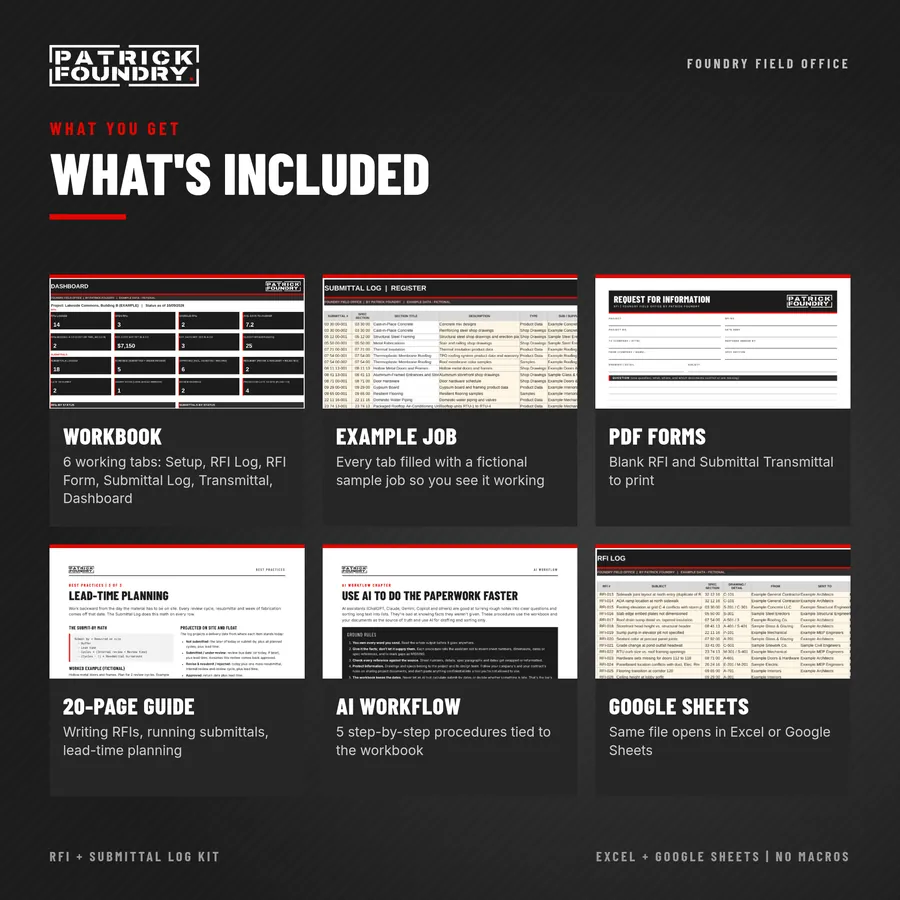
  • Workbook (.xlsx, no macros). The same file opens in Excel or Google Sheets. Setup, RFI Log, RFI Form, Submittal Log (register), Submittal Transmittal and Dashboard tabs, plus example tabs with a fictional sample job.
  • Printable PDF forms: blank RFI and Submittal Transmittal.
  • 20-page PDF guide: how to use every tab, writing RFIs that get answered, running the submittal process, lead-time planning, an AI Workflow chapter tied to the workbook, and opening the kit in Google Sheets.

Works with Kit 01. When an RFI answer changes cost or time, the log flags it until you enter a change order number. Price and track the change with the Change Order + T&M Ticket Kit. Also in the 4-Kit Bundle: all four kits for $49.

Instant digital download. One-business license, unlimited projects. Works in Excel 2016 or later (Windows or Mac, including Microsoft 365) and in Google Sheets. No macros. Original templates, not AIA forms. A project-management tool, not legal or contract advice; your contract and specs control RFI procedures, review times and submittal requirements.
Images show the fictional example jobs included in the workbooks.

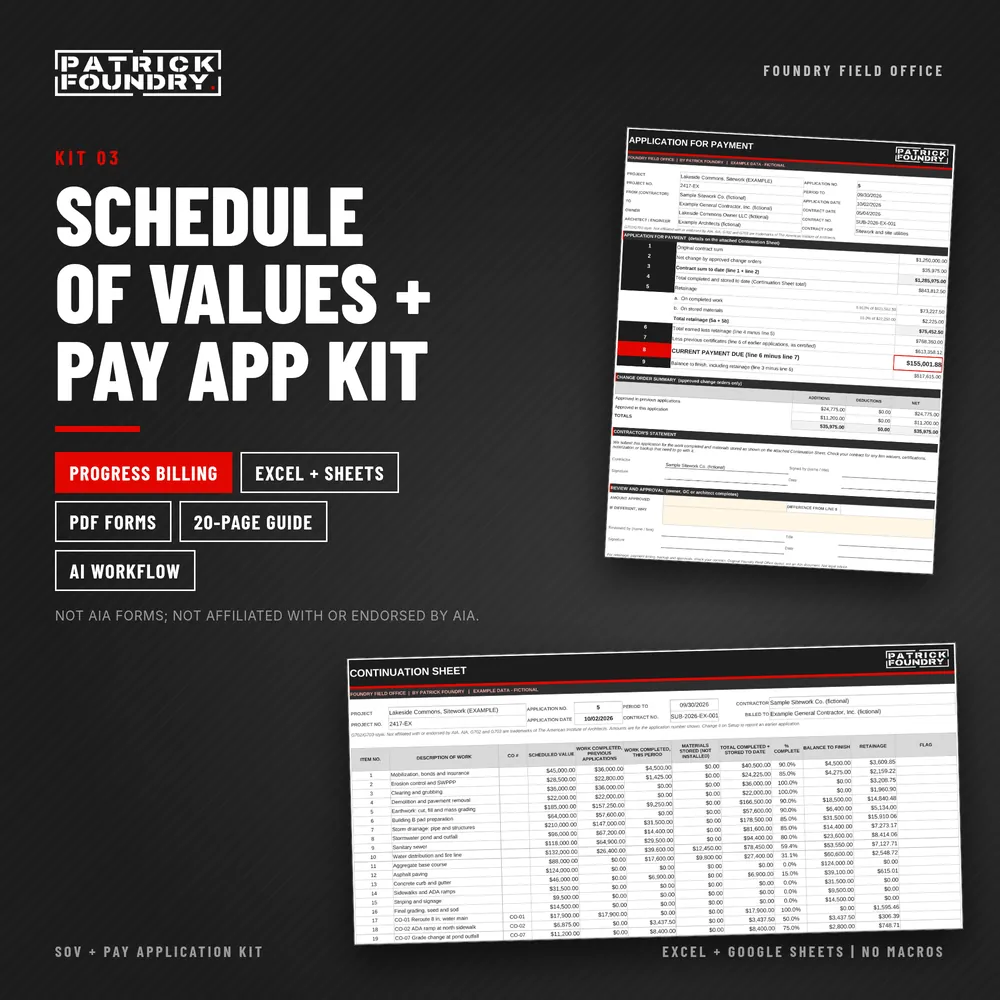
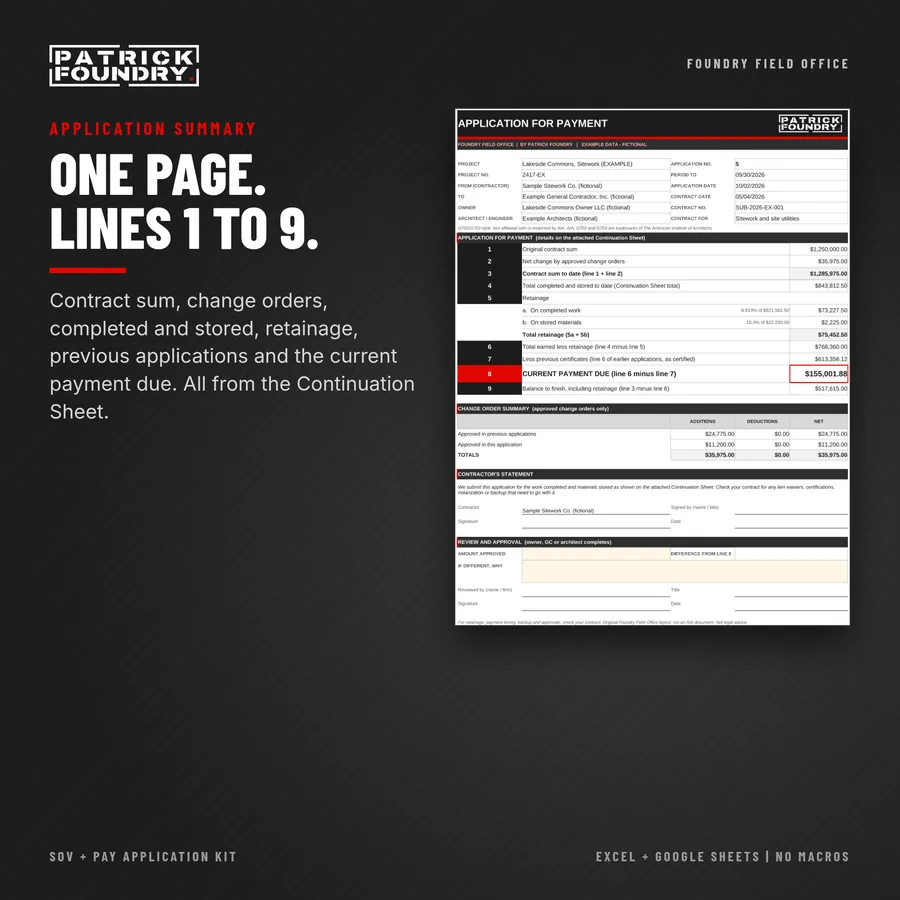
Schedule of Values and Pay Application Kit cover with the application summary and continuation sheet

KIT 03 · EXCEL + GOOGLE SHEETS · PDF FORMS

Schedule of Values +
Pay Application Kit.

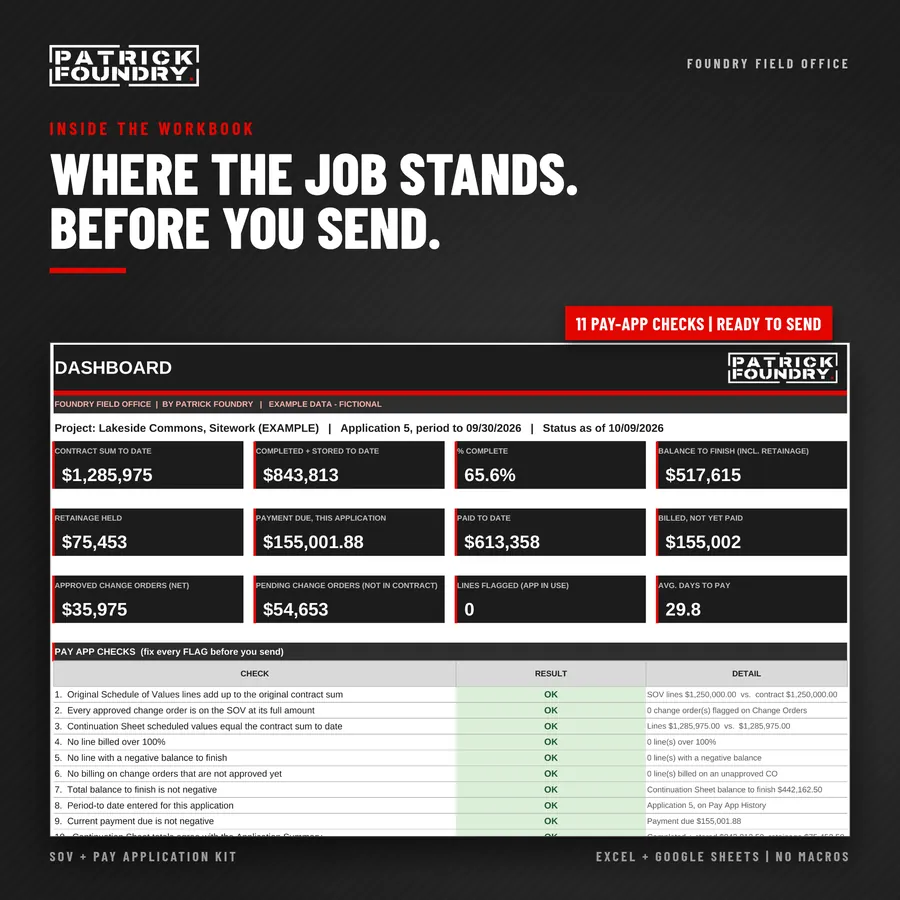
Bill your schedule of values every month without retyping last month’s numbers, and catch the mistakes that get a pay app kicked back before you hit send.

For general contractors, subcontractors, project managers and office managers who bill progress payments. Build the SOV once, enter each period’s work and stored materials, and the workbook fills an Application for Payment and Continuation Sheet, figures retainage, carries approved change orders, and checks the whole thing.
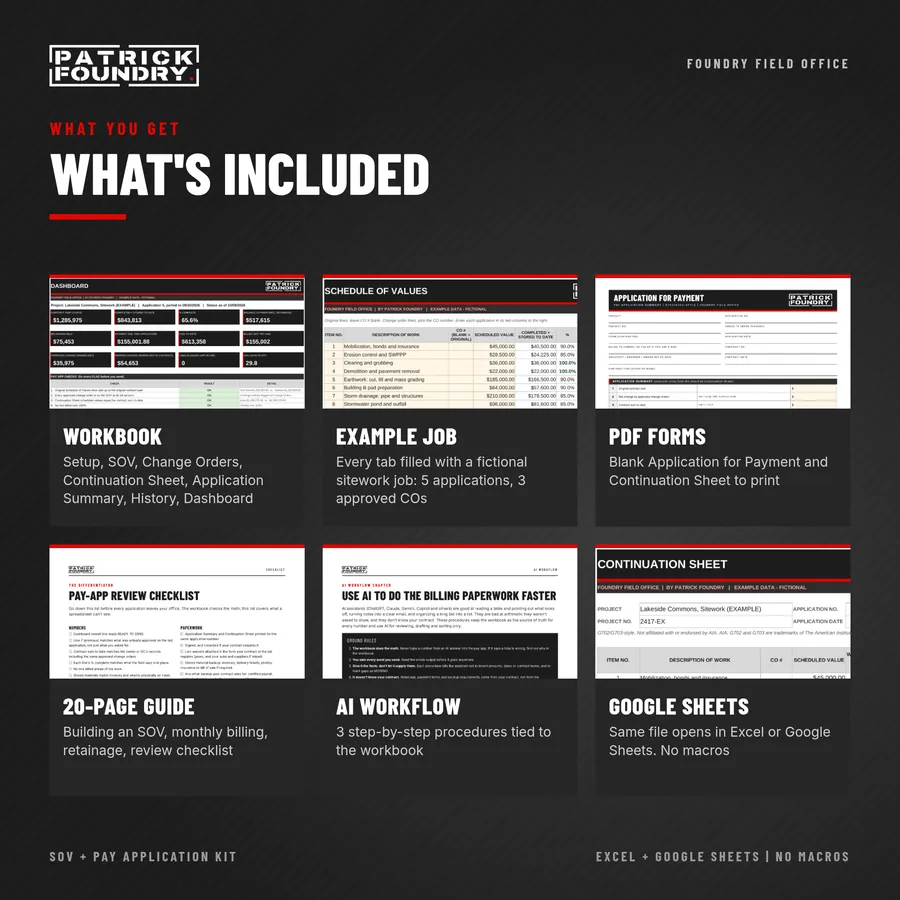
  • Workbook (.xlsx, no macros). The same file opens in Excel or Google Sheets. Setup, Schedule of Values (up to 60 lines, billing grid for 24 applications), Change Orders, Continuation Sheet, Application Summary, Pay App History and a Dashboard with 11 pay-app checks, plus example tabs with a fictional sitework job.
  • Printable PDF forms: blank Application for Payment and Continuation Sheet.
  • 20-page PDF guide: how to use every tab; building a schedule of values, monthly billing, stored materials and retainage; a pay-app review checklist; an AI Workflow chapter tied to the workbook; and opening the kit in Google Sheets.

Works with Kit 01. Copy approved change orders from the Change Order + T&M Ticket Kit into the Change Orders tab and they flow onto the application. Also in the 4-Kit Bundle ($49).

Instant digital download. One-business license, unlimited projects. Works in Excel 2016 or later (Windows or Mac, including Microsoft 365) and in Google Sheets. No macros. Not AIA forms; not affiliated with or endorsed by AIA. Original templates. A billing tool, not legal or accounting advice. Check your contract for retainage, billing dates, backup, lien waivers and payment terms.

Images show the fictional example jobs included in the workbooks.

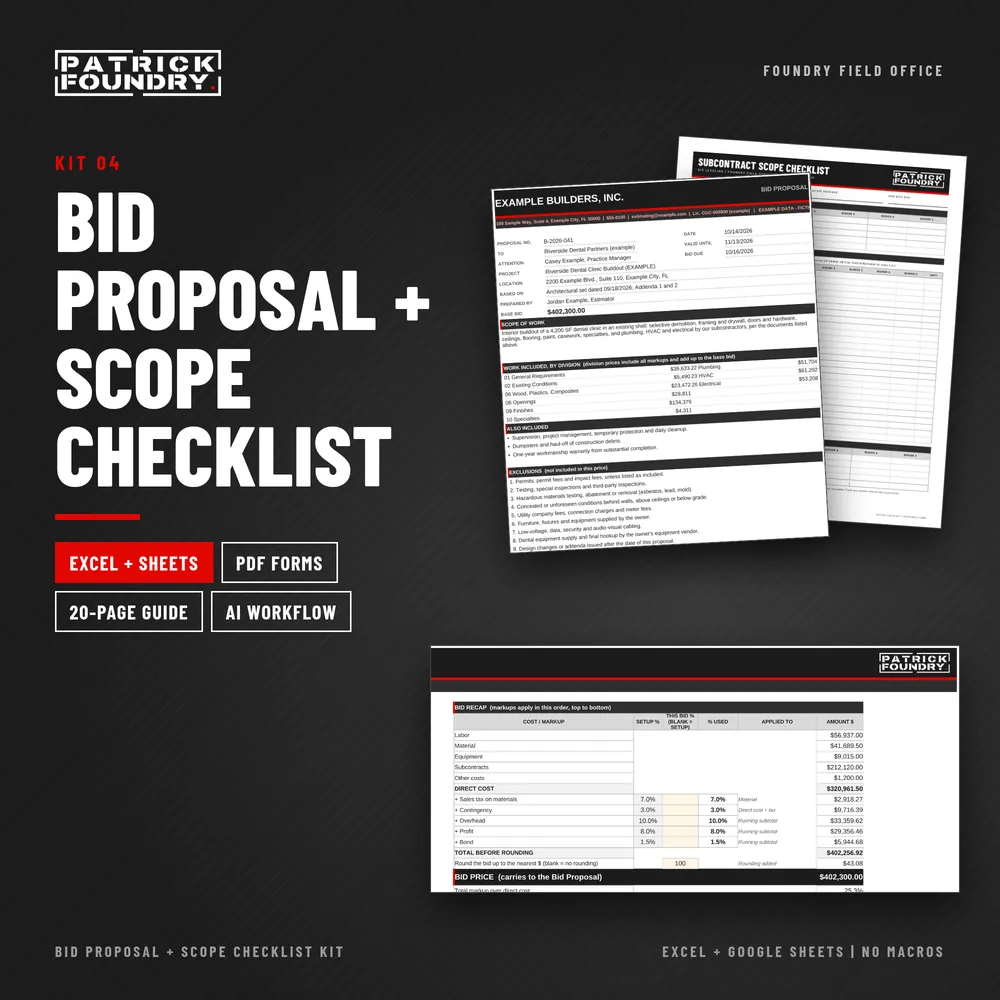
Bid Proposal and Scope Checklist Kit cover showing the proposal, scope checklist and bid recap

KIT 04 · EXCEL + GOOGLE SHEETS · PDF FORMS

Bid Proposal +
Scope Checklist Kit.

Send a bid where the number is the one you meant, and the proposal says exactly what that number buys.

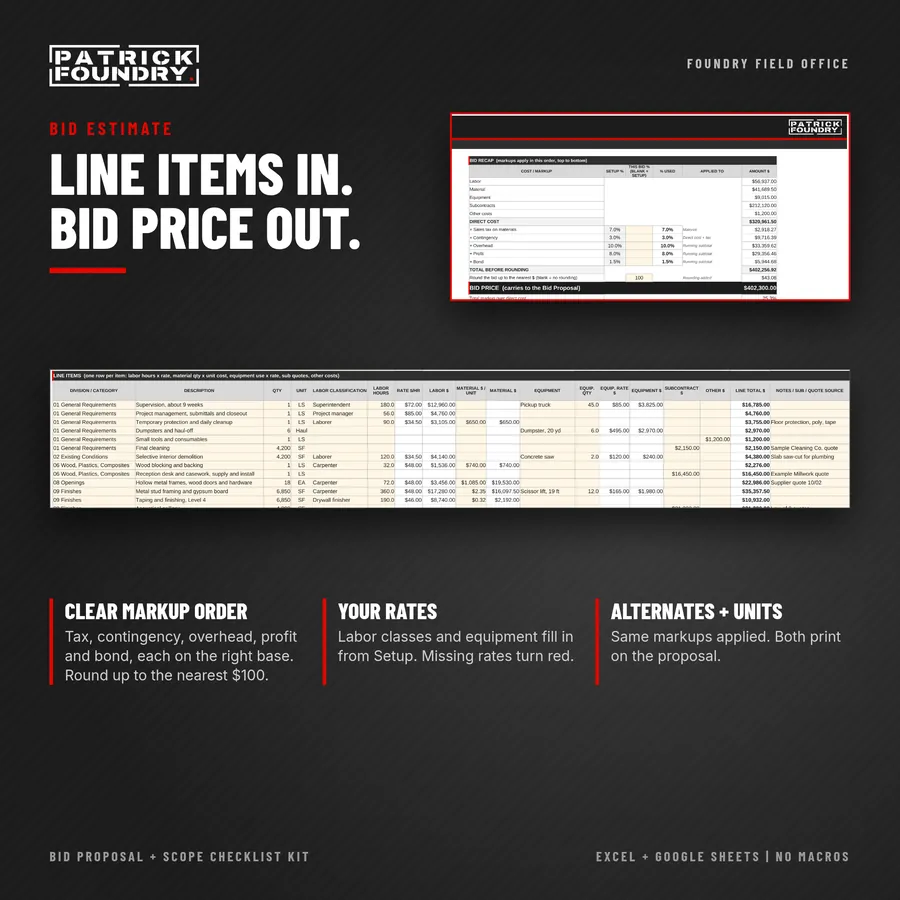
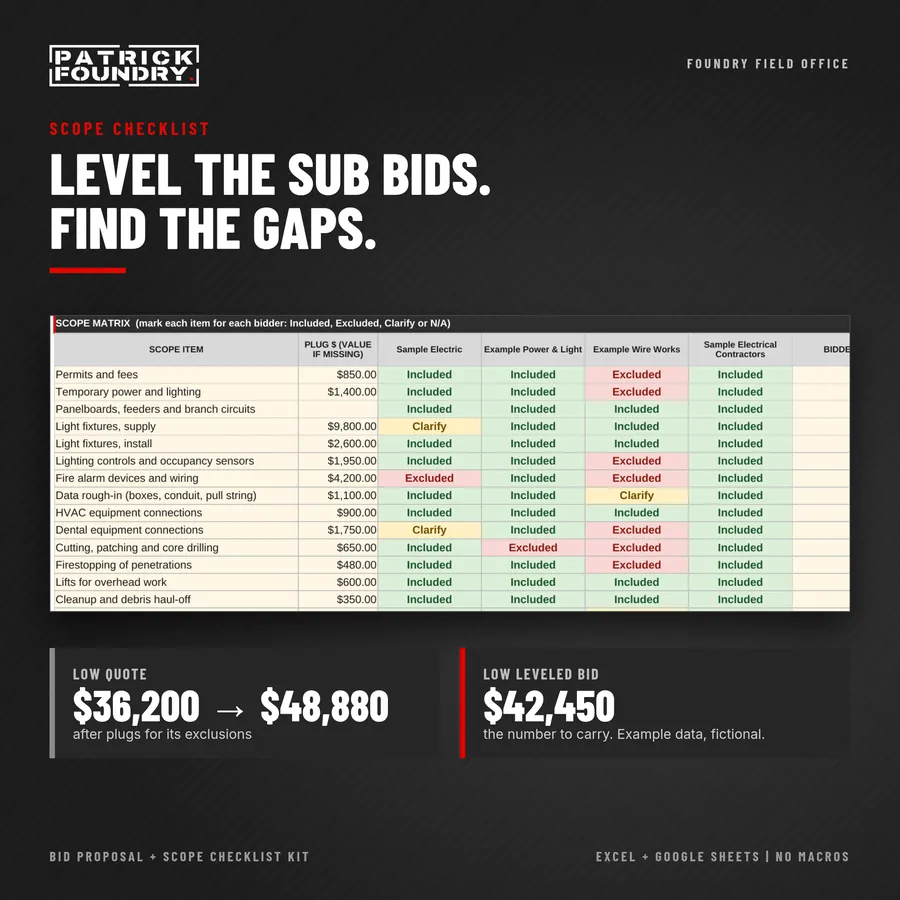
For general contractors, subcontractors and estimators. Price the work line by line, level your sub bids on the same scope, send a clean proposal built from the estimate, and track every bid until you hear back.

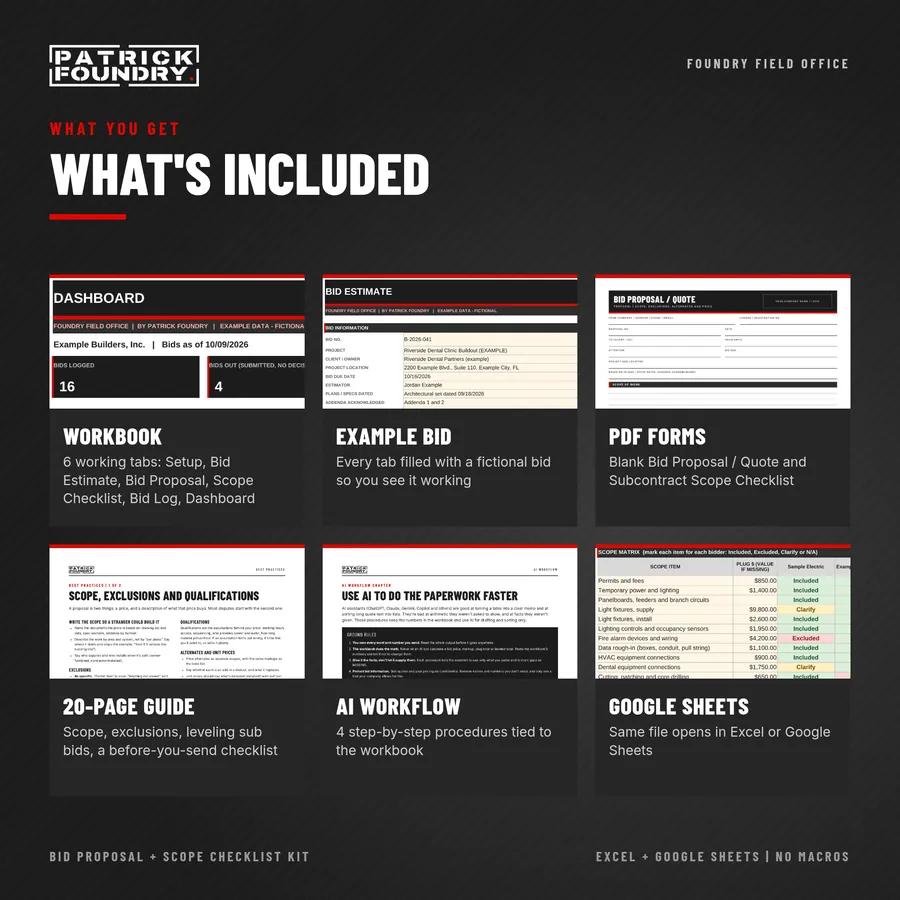
  • Workbook (.xlsx, no macros). The same file opens in Excel or Google Sheets. Setup, Bid Estimate (80 line items with a markup recap), Bid Proposal, Scope Checklist (level up to 5 sub bids), Bid Log and Dashboard, plus example tabs with a fictional bid.
  • Printable PDF forms: blank Bid Proposal / Quote and blank Subcontract Scope Checklist.
  • 20-page PDF guide: how to use every tab with a worked markup example; writing scope, exclusions and qualifications; leveling sub bids; a before-you-send checklist; an AI Workflow chapter tied to the workbook; and opening the kit in Google Sheets.

After you win. Turn the estimate into a schedule of values with the Schedule of Values + Pay App Kit, and price changes with the Change Order + T&M Ticket Kit. Also in the 4-Kit Bundle ($49).

Instant digital download. One-business license, unlimited bids. Works in Excel 2016 or later (Windows or Mac, including Microsoft 365) and in Google Sheets. No macros. An estimating and proposal workbook, not takeoff software or a cost database; you bring the quantities and rates. Not legal or contract advice: the starter exclusions, qualifications and terms are examples to edit.

Images show the fictional example jobs included in the workbooks.

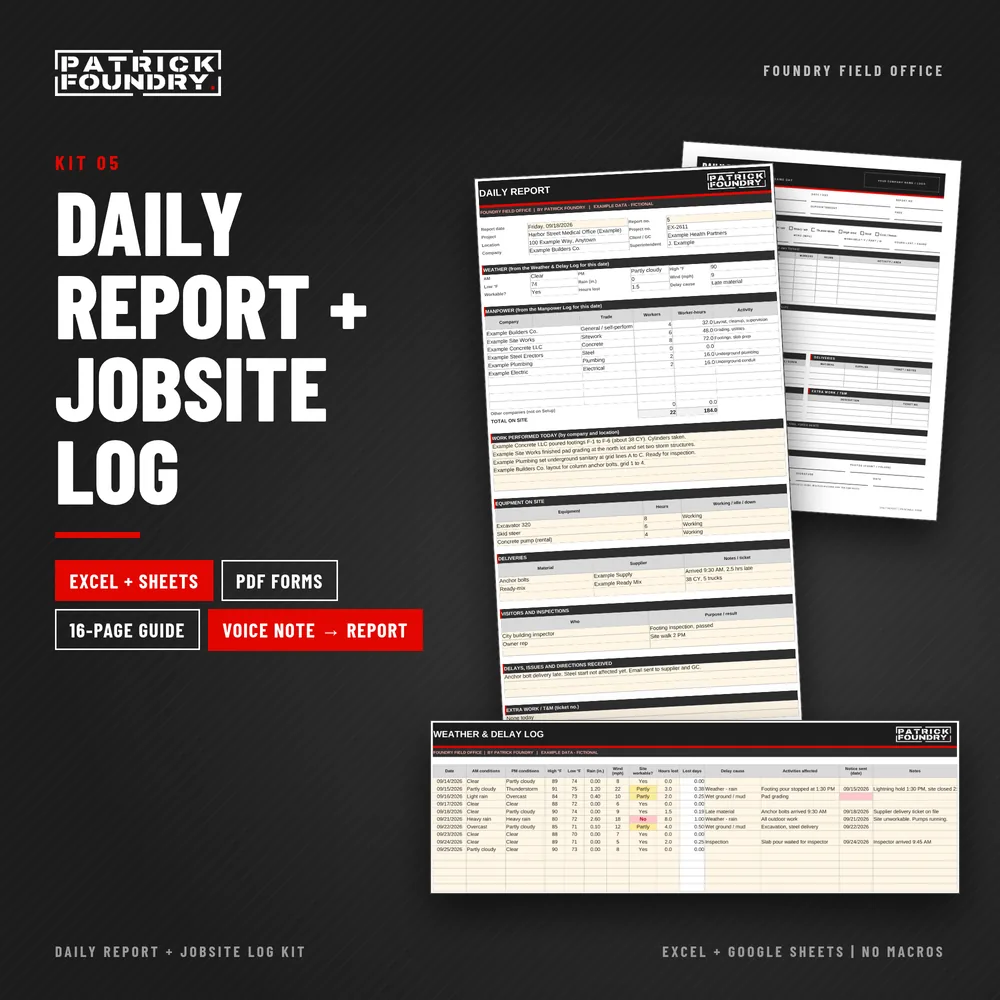
Daily Report and Jobsite Log Kit cover showing the daily report, printable form and weather log

KIT 05 · EXCEL + GOOGLE SHEETS · PDF FORMS

Daily Report +
Jobsite Log Kit.

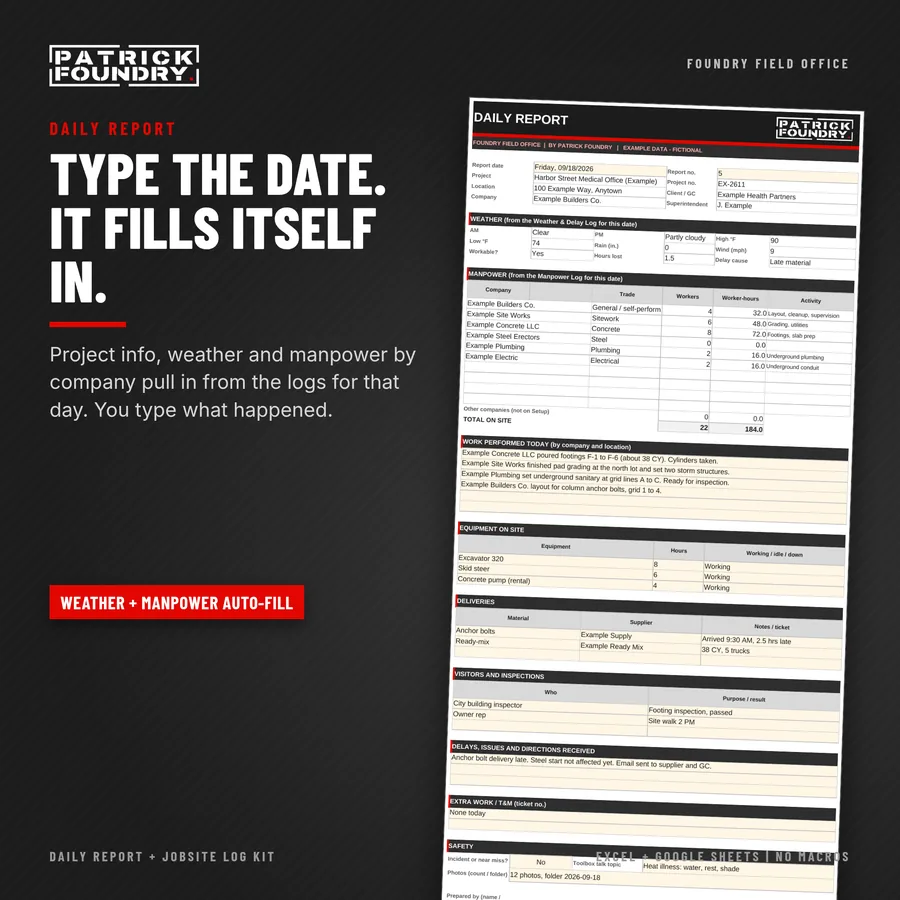
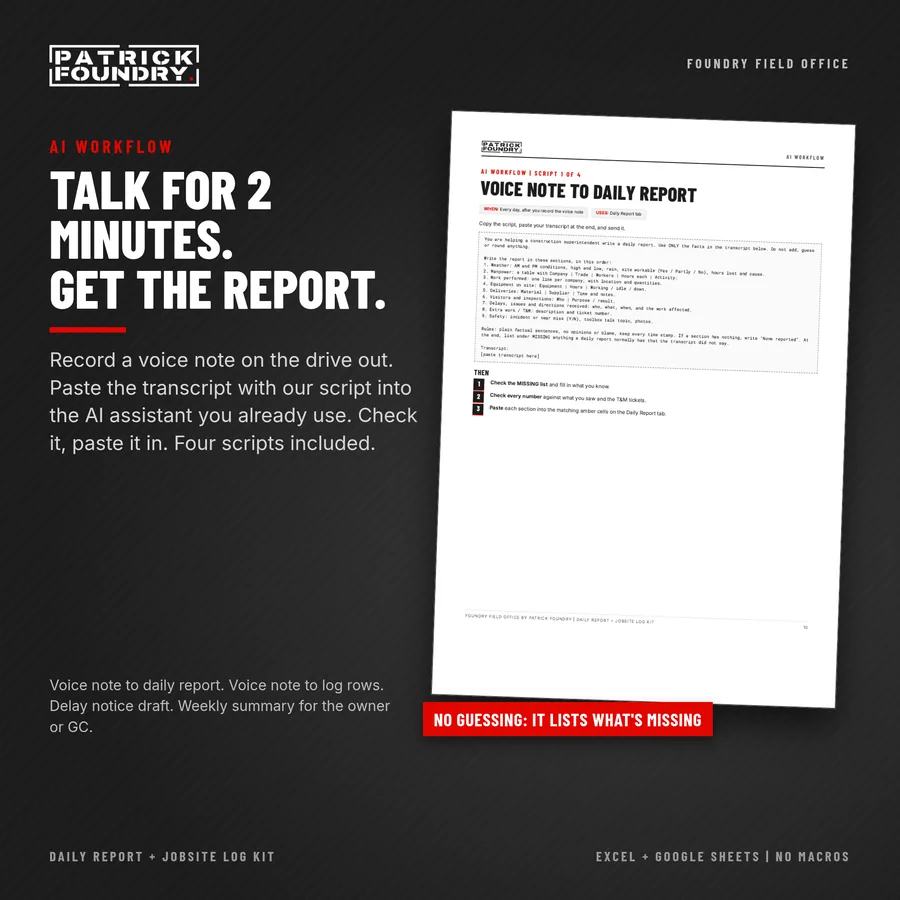
Type the date and the daily report fills in weather and manpower from your jobsite logs. Includes printable forms and an AI workflow that turns a two-minute voice note into a draft daily report.

For superintendents, foremen, project managers and contractors of any size. Write the daily report every day in five minutes, and keep the weather, delay and manpower records that back it up.

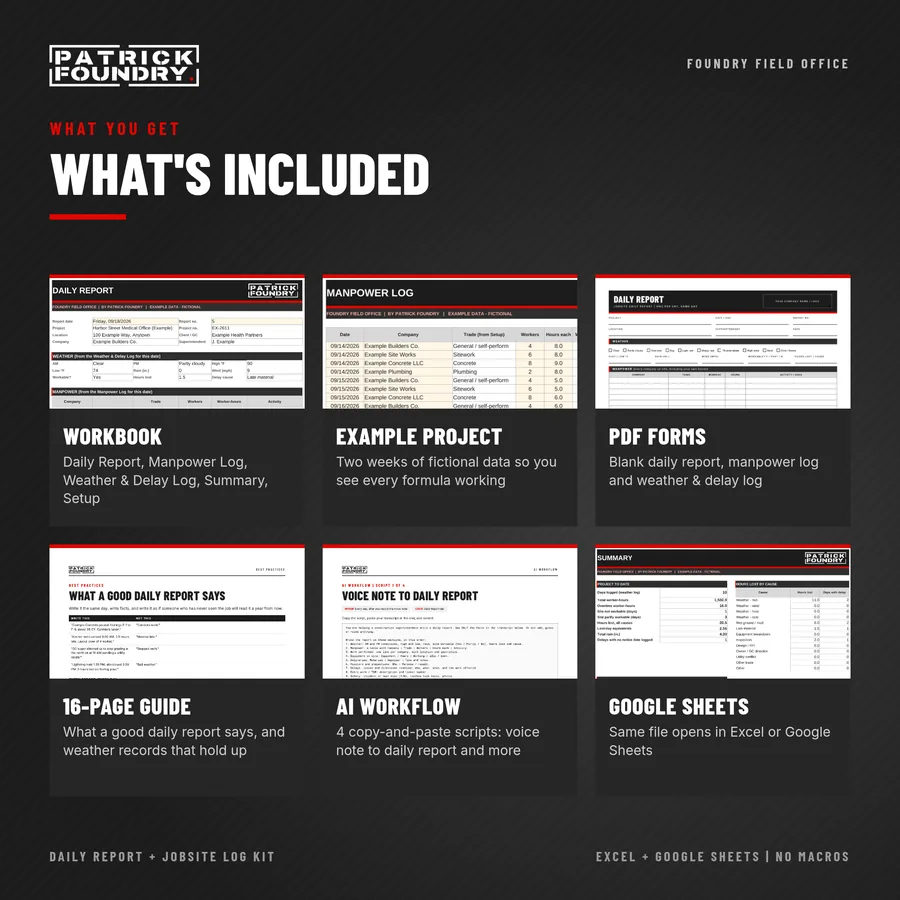
  • Workbook (.xlsx, no macros). The same file opens in Excel or Google Sheets. Daily Report (prints on one page), Manpower Log (worker-hours by company, overtime tracked), Weather & Delay Log (workable days, hours lost, 13 delay causes, a red flag when hours were lost and no notice date is logged) and Summary tabs, plus example tabs with two weeks of a fictional project.
  • Printable PDF forms: blank one-page Daily Report, Manpower Log and Weather & Delay Log.
  • 16-page PDF guide: how to use every tab; what a good daily report says, and weather and delay records that hold up; an AI workflow with four copy-and-paste scripts (voice note to daily report, voice note to log rows, a delay notice draft, a weekly summary for the owner or GC); and opening the kit in Google Sheets.

Works with the other kits. Price the extra work you log with the Change Order + T&M Ticket Kit, and track questions with the RFI + Submittal Log Kit. Sold on its own; the 4-Kit Bundle covers Kits 01 to 04.

Instant digital download. One-business license, unlimited projects. Works in Excel 2016 or later (Windows or Mac, including Microsoft 365) and in Google Sheets. No macros. A daily record workbook, not scheduling or claims software. The AI workflow works with the AI assistant you already use (not included); you check every draft before it goes out. Not legal or contract advice: notice periods and weather-day rules depend on your contract.

Images show the fictional example jobs included in the workbooks.

52 Toolbox Talks kit cover showing an English and a Spanish talk page

Kit 6 · Safety

52 Toolbox Talks,
English + Spanish

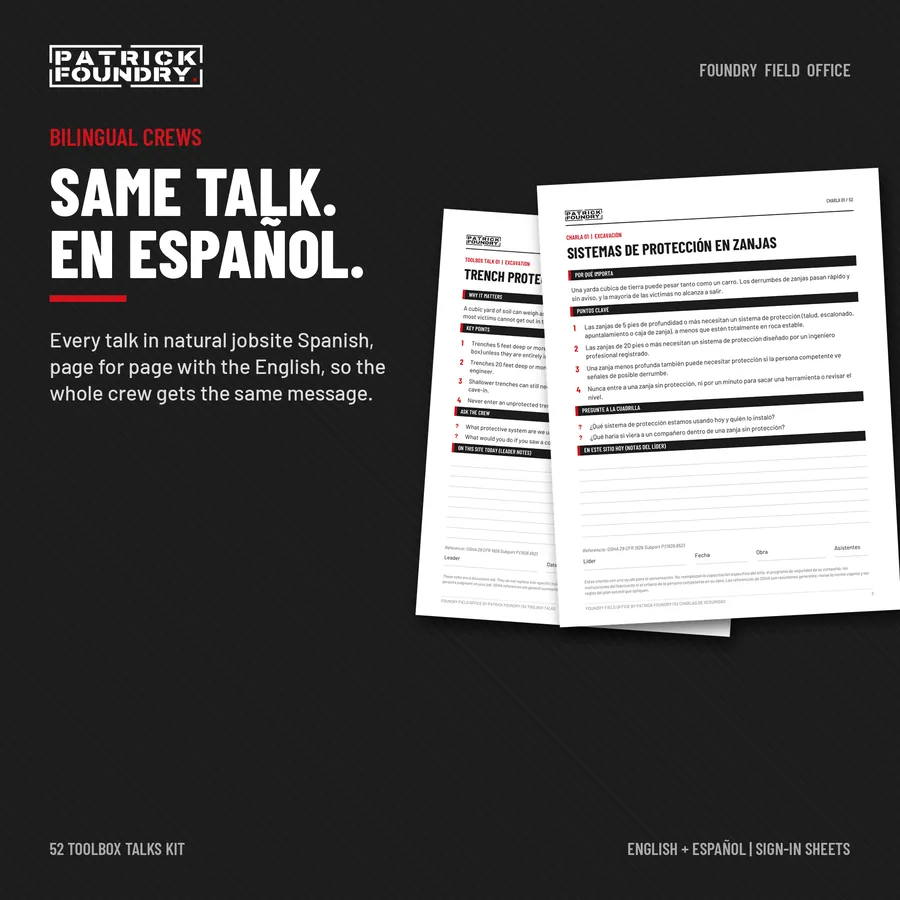
A full year of weekly safety talks for civil crews, page-for-page in English and Spanish, with bilingual sign-in sheets and a tracker for Excel or Google Sheets.

  • 52 toolbox talks in English (PDF, one page each): why it matters, 4 key points, 2 questions for the crew, lines for site notes, and the OSHA reference behind the topic.
  • The same 52 talks in Spanish (PDF), written in natural jobsite Spanish.
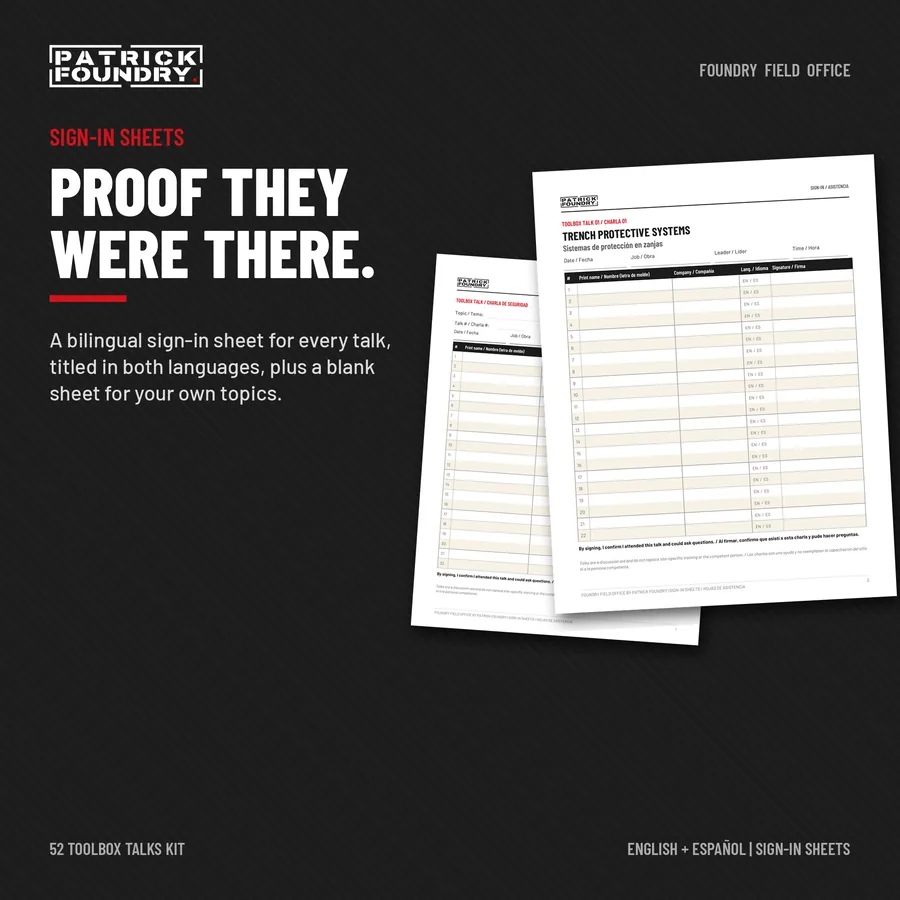
  • 53 bilingual sign-in sheets (PDF): one titled in both languages for every talk, plus a blank sheet for your own topics.
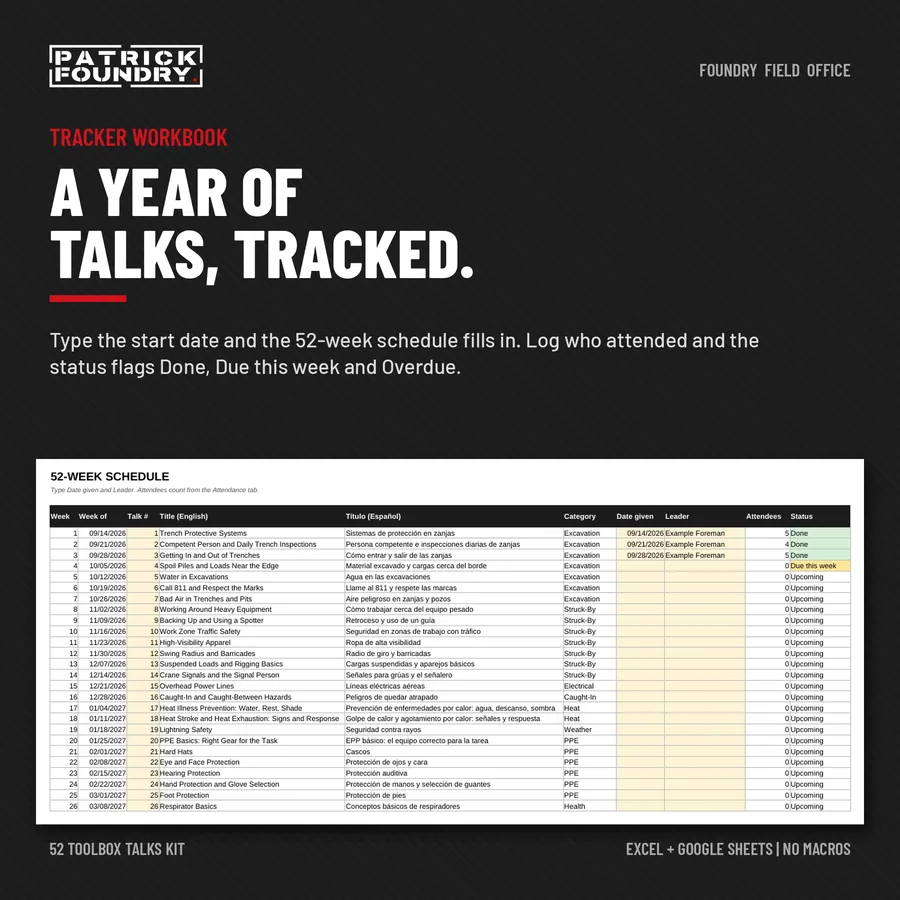
  • Tracker workbook (.xlsx, no macros). The same file opens in Excel or Google Sheets: 52-week schedule, attendance log, status flags and a summary.
  • 7-page PDF guide: running a 10-minute talk your crew listens to, the full schedule, using the workbook, opening it in Google Sheets.

Sold on its own; the 4-Kit Bundle covers Kits 01 to 04.

Instant digital download. One-business license, unlimited projects. Works in Excel 2016 or later (Windows or Mac, including Microsoft 365) and in Google Sheets. No macros. These talks are a discussion aid. They do not replace site-specific training, your safety program, or the competent person on your job, and they do not satisfy specific OSHA training requirements such as respirator, fall protection or confined space training. PDFs print on US Letter.

Images show the fictional example jobs included in the workbooks.

True Hourly Cost labor burden calculator kit cover with rate outputs

FIELD OFFICE KIT 11

True Hourly Cost Calculator

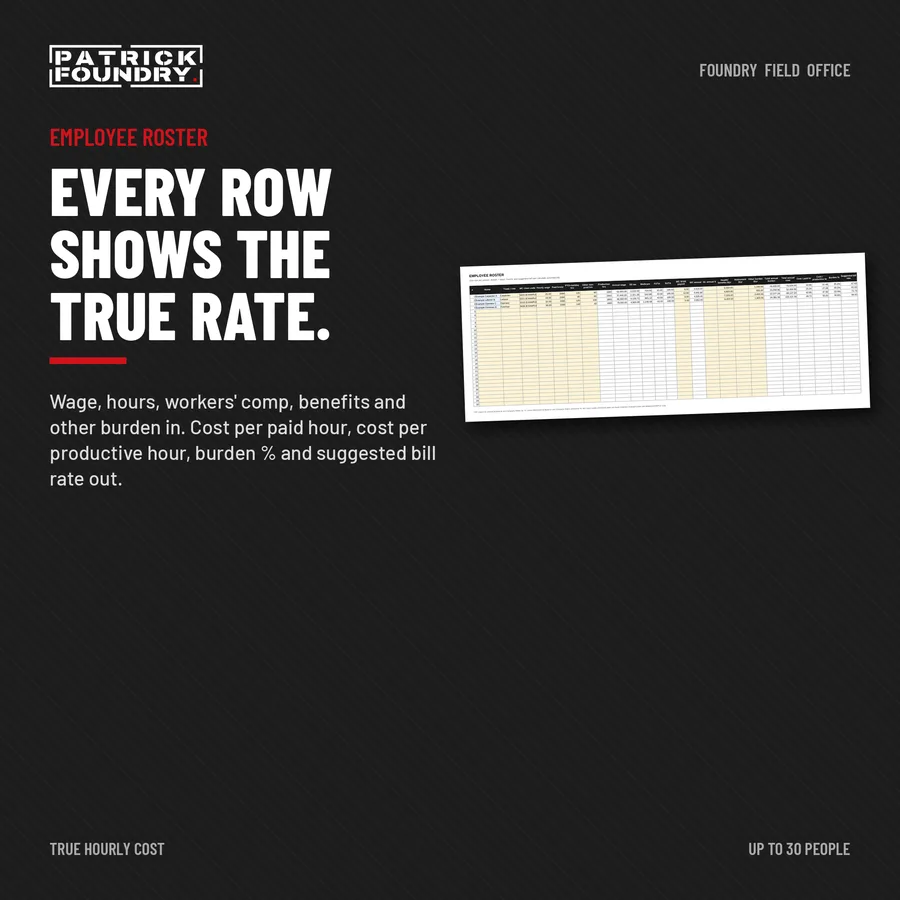
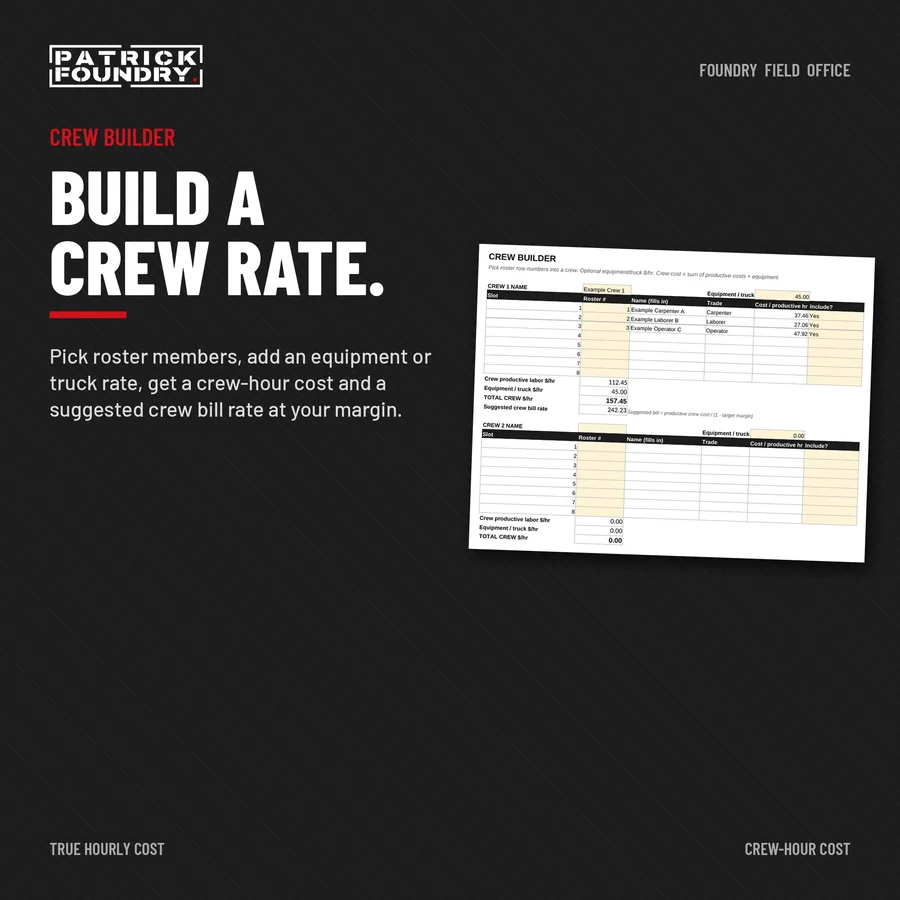
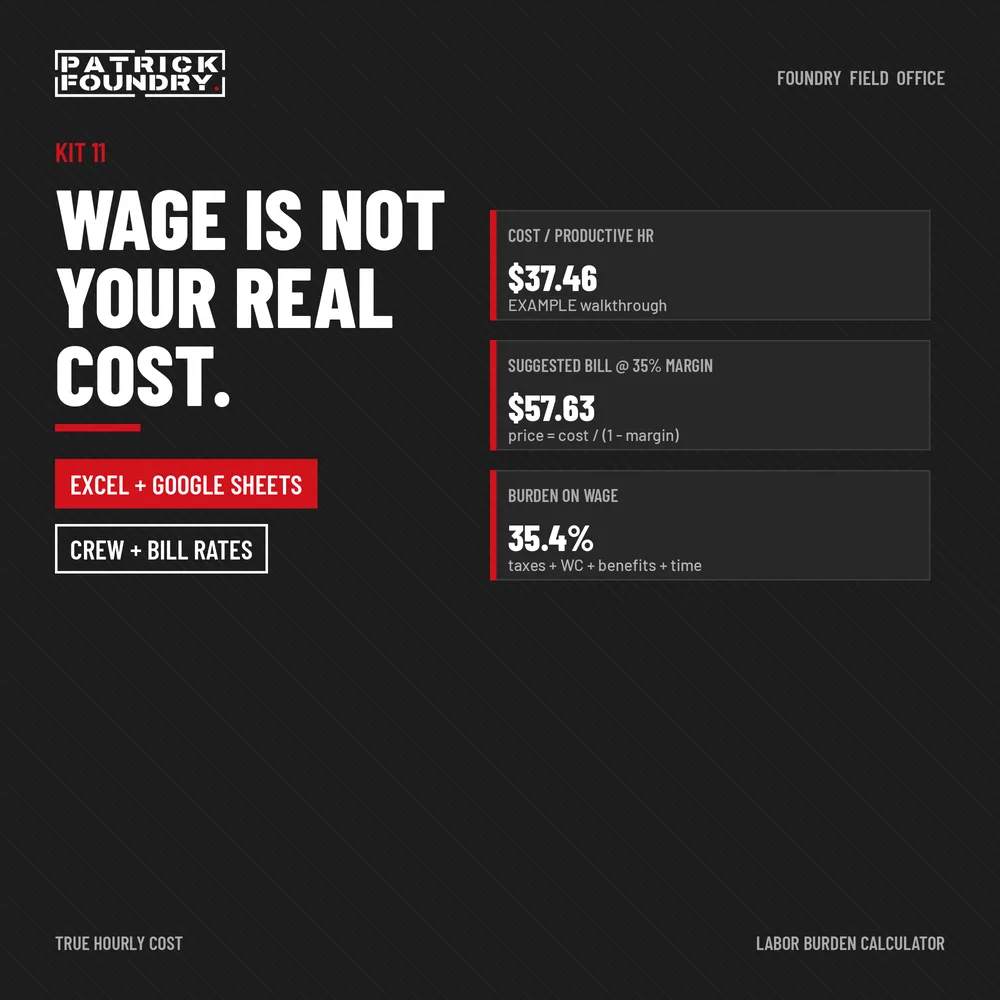
Stop pricing labor at the wage. Burdened labor cost per paid and productive hour, crew-hour rates, and a suggested bill rate at your target margin, in Excel or Google Sheets.

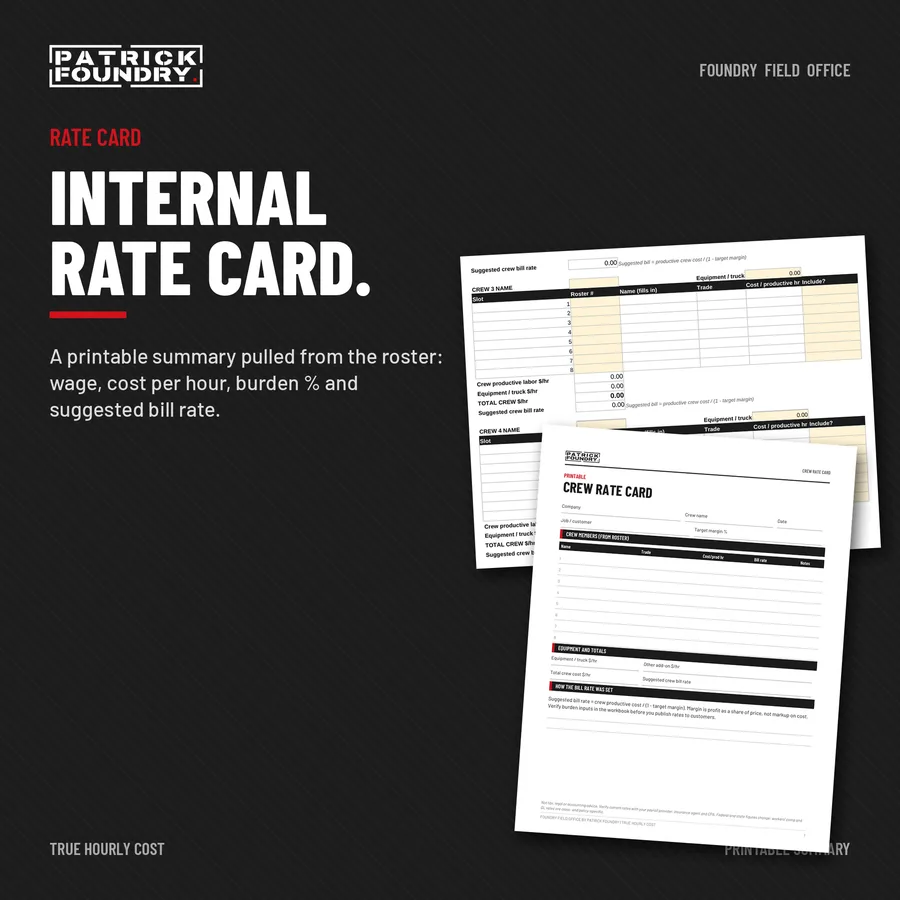
  • Calculator workbook (.xlsx, no macros). The same file opens in Excel or Google Sheets: Company Rates, an Employee Roster for up to 30 people, a Crew Builder with optional equipment and truck rates, and a printable Rate Card, plus a labeled example.
  • Printable labor burden worksheet (PDF, fill by hand) and crew rate card (PDF).
  • Short PDF guide: how burden works, productive vs paid hours, markup vs margin, using the workbook, opening it in Google Sheets.

Sold on its own; the 4-Kit Bundle covers Kits 01 to 04.

Instant digital download. One-business license, unlimited projects. Works in Excel 2016 or later (Windows or Mac, including Microsoft 365) and in Google Sheets. No macros. Not tax, legal or accounting advice. Verify current rates with your payroll provider, insurance agent and CPA. Workers’ comp example rates are labeled EXAMPLE only. PDFs print on US Letter.

Images show the fictional example jobs included in the workbooks.

Overhead and markup vs margin calculator kit cover with overhead rate, bid price and markup outputs

FIELD OFFICE KIT 12

Overhead & Markup vs Margin Calculator

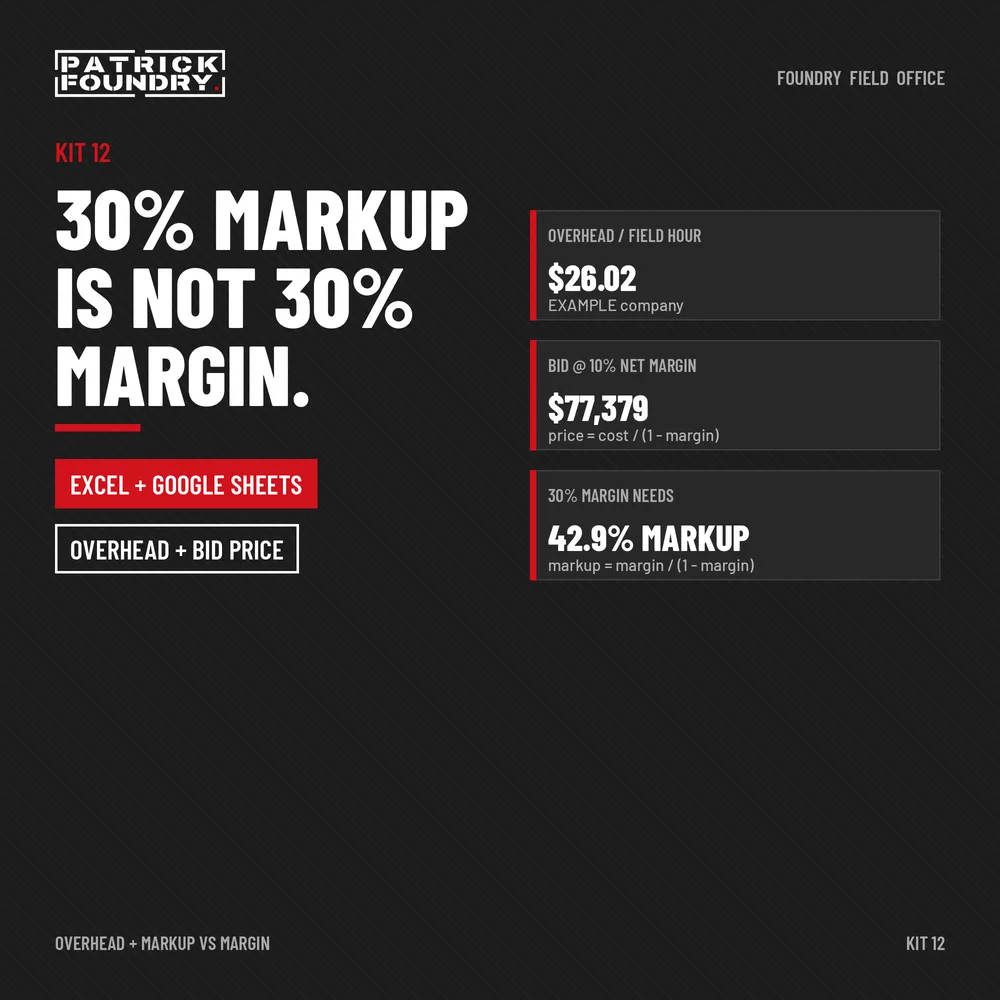
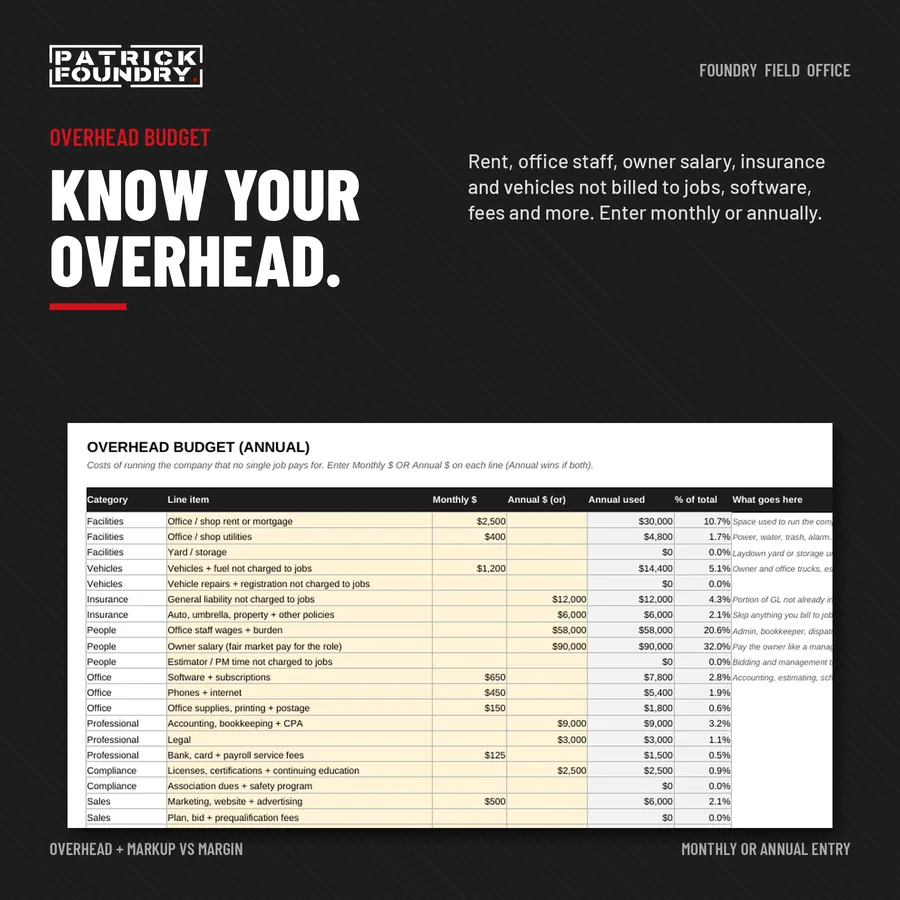
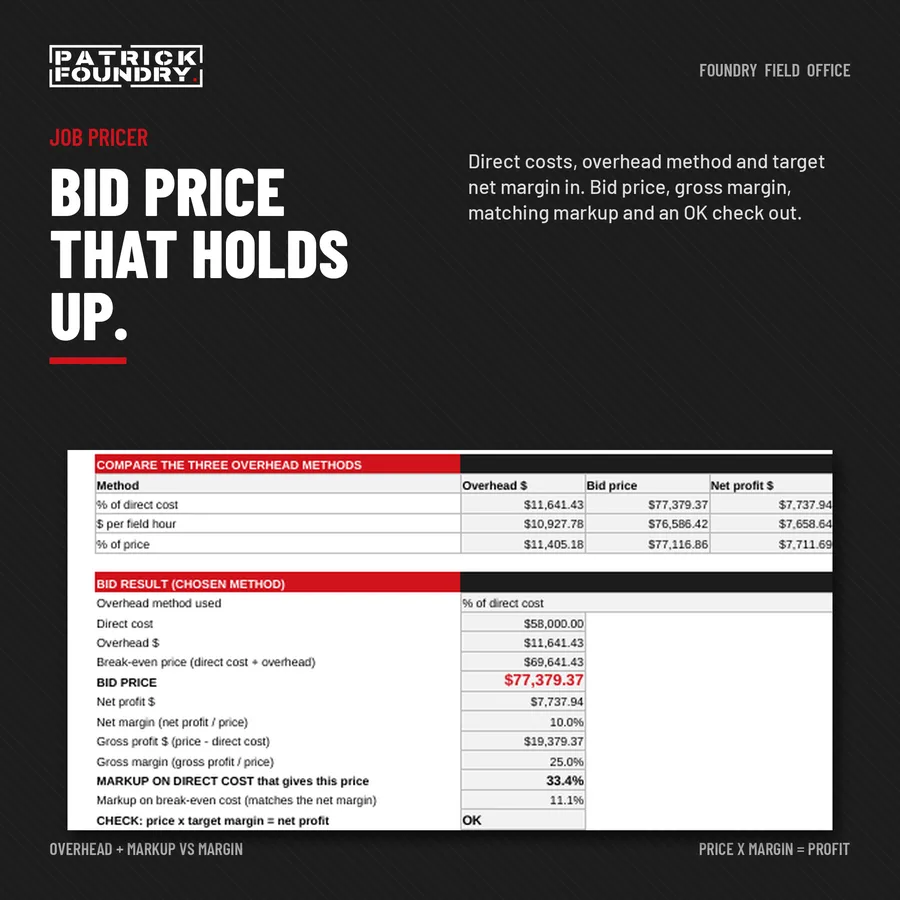
Work out what it really costs to run your company, then price every bid to cover overhead and hit your target margin. Excel / Google Sheets workbook, printable worksheet, markup vs margin cheat card and guide.

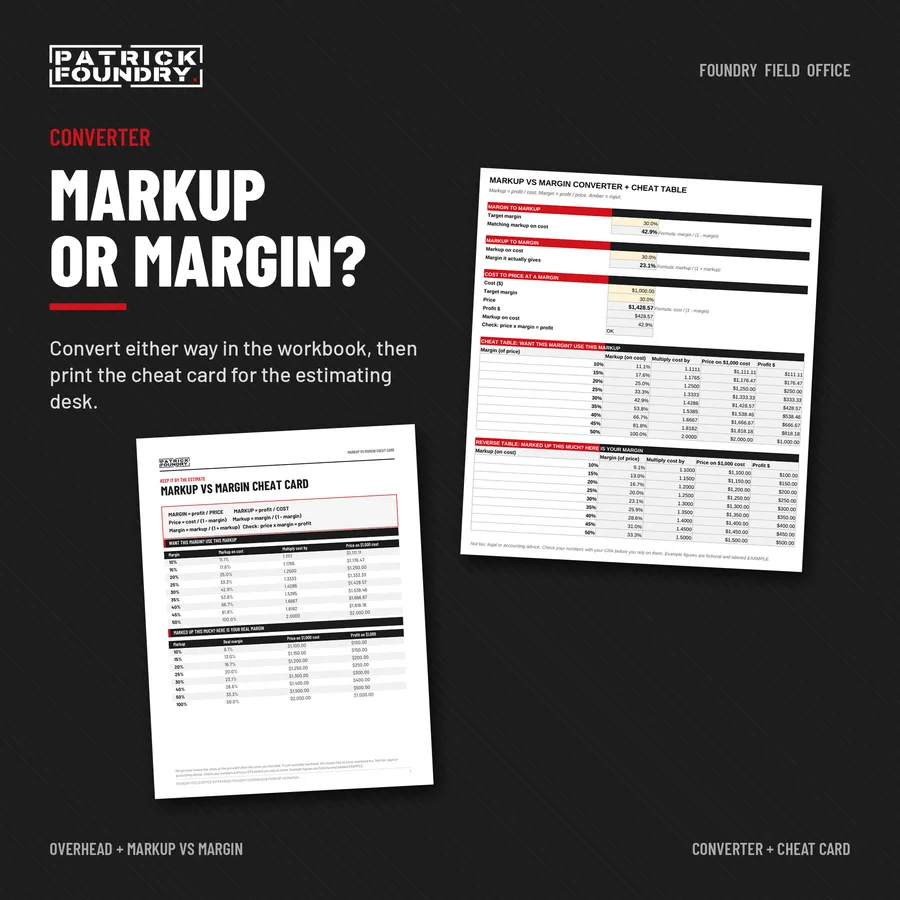
  • Calculator workbook (.xlsx, no macros). The same file opens in Excel or Google Sheets: an Overhead Budget with 26 editable lines, Recovery Rates (per field hour, % of direct cost, % of revenue, break-even revenue), a Job Pricer that turns direct costs and a target margin into a bid price, and a Markup vs Margin converter, plus a labeled example.
  • Printable overhead + pricing worksheet (PDF, fill by hand) and a one-page markup vs margin cheat card (PDF).
  • Short PDF guide: what goes in overhead, three ways to recover it, the math explained, common mistakes, using the workbook, opening it in Google Sheets.

Pairs with the True Hourly Cost Calculator for burdened labor rates. Sold on its own; the 4-Kit Bundle covers Kits 01 to 04.

Instant digital download. One-business license, unlimited projects. Works in Excel 2016 or later (Windows or Mac, including Microsoft 365) and in Google Sheets. No macros. Not tax, legal or accounting advice. Check your numbers with your CPA. Example figures are fictional and labeled EXAMPLE. PDFs print on US Letter.

Images show the fictional example jobs included in the workbooks.

Free · Printable PDF

Free contractor forms.

Pick a form, enter your email, and download it right away. We also email you the link so you have it later.

Bundles

More kits. Less money.

Foundry Field Office 4-Kit Bundle cover: estimate, submittal log, change order request and pay application

4-KIT BUNDLE · ALL FOUR KITS · ONE DOWNLOAD

Bid it. Build it.
Change it. Bill it.

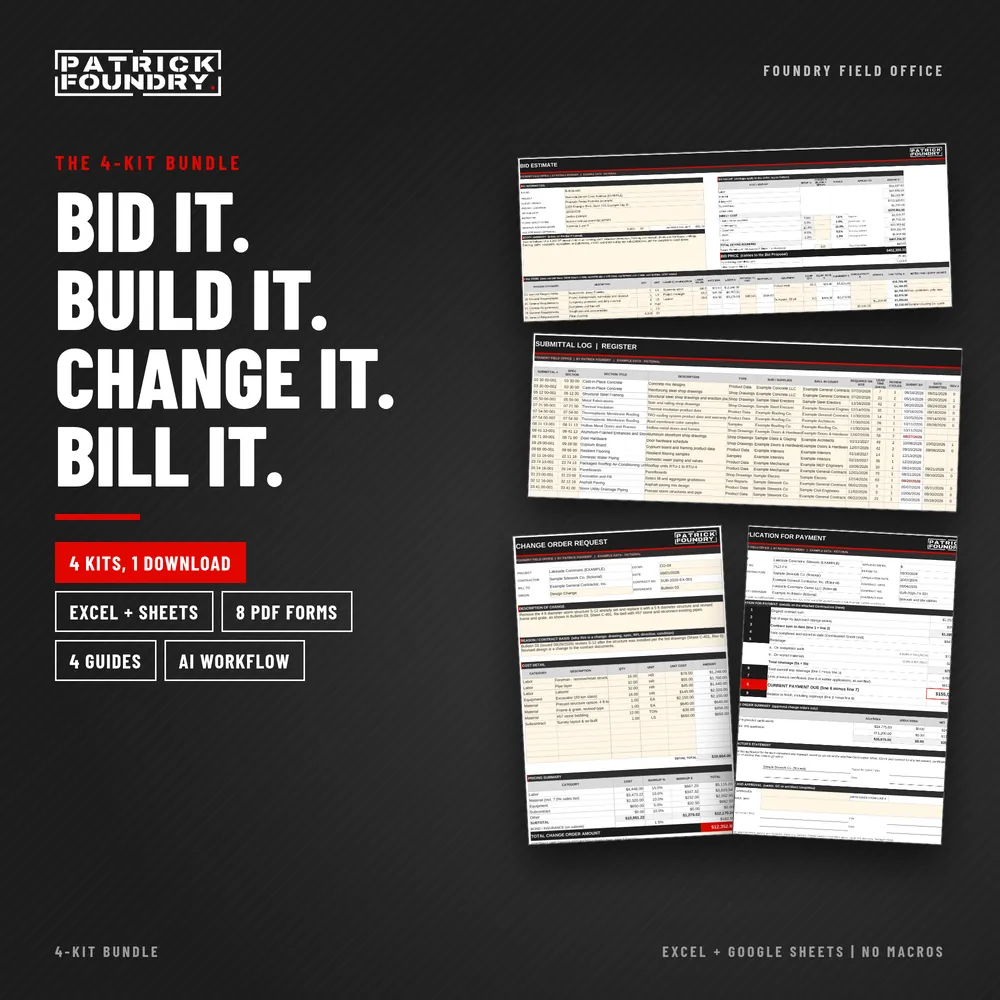
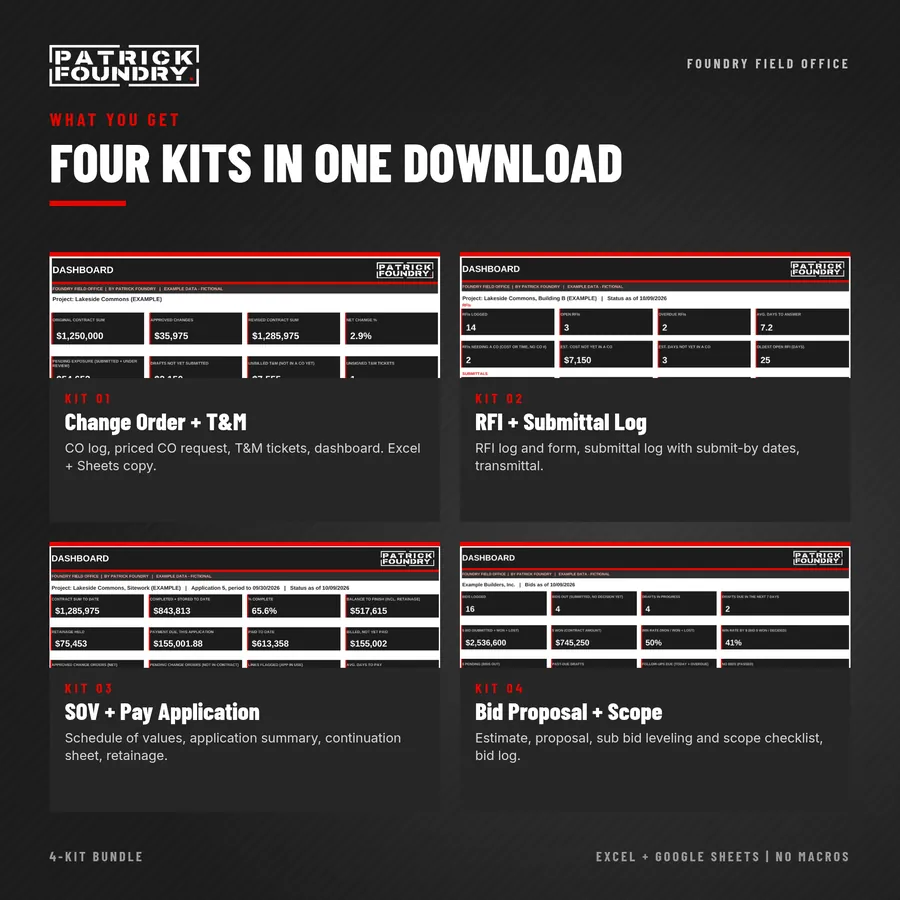
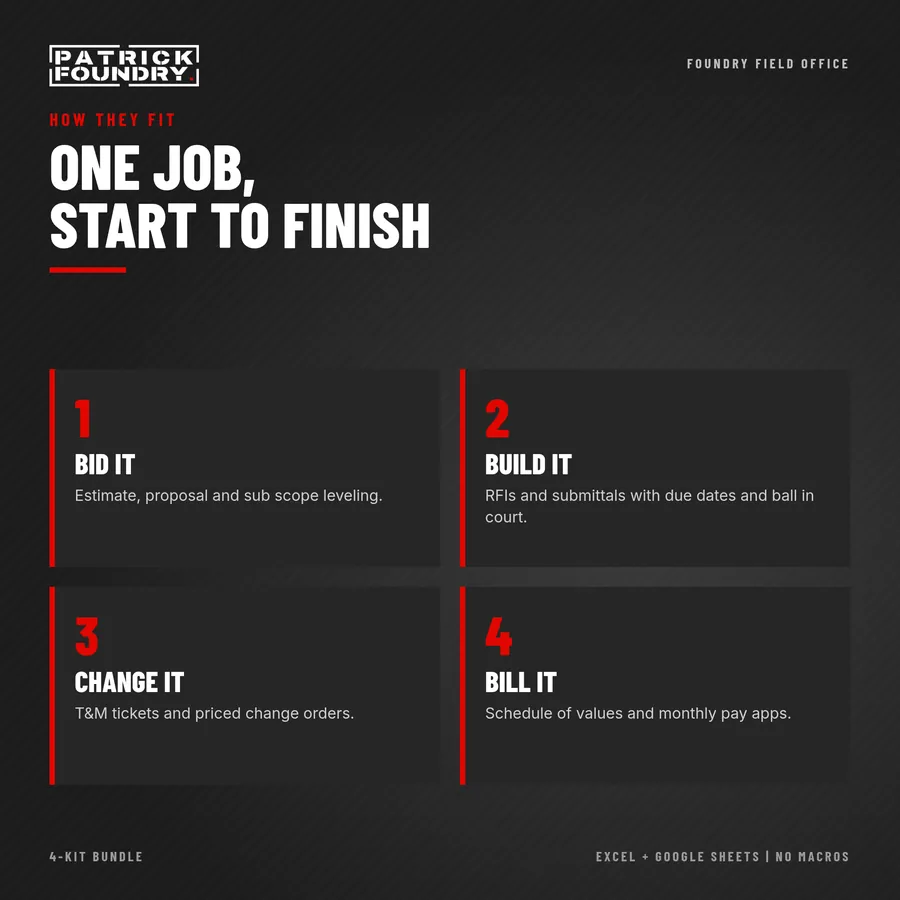
All four Foundry Field Office kits in one download: Change Order + T&M, RFI + Submittal, Schedule of Values + Pay Application, and Bid Proposal + Scope Checklist.

Bought separately they are $19 each ($76), so the bundle saves you $27.

  • Four workbooks (Excel and Google Sheets), each with Example tabs and a fictional job.
  • Eight printable PDF forms and four guides, each with an AI Workflow chapter and Google Sheets steps.
  • How they fit: bid it (Kit 04), build it (Kit 02), change it (Kit 01), bill it (Kit 03). Approved change orders from Kit 01 copy straight into Kit 03’s pay app.

One download, one price: $49 for all four kits.

Instant digital download. One-business license, unlimited projects. Works in Excel 2016 or later (Windows or Mac, including Microsoft 365) and in Google Sheets. No macros. Original templates. Not AIA forms; not affiliated with or endorsed by AIA. Project-management tools, not legal, accounting or contract advice; your contract controls.

Images show the fictional example jobs included in the workbooks.

Made by Patrick Foundry. AI tools helped draft parts of the guide text and layouts. All templates are original. Questions about the files? Email kits@patrickfoundry.com.